Google LLCTools
4.0558.54K Reviews
- Version
- Varies With Device
- Installs
- 10.00B
- Age Rating
- Everyone
Screenshots
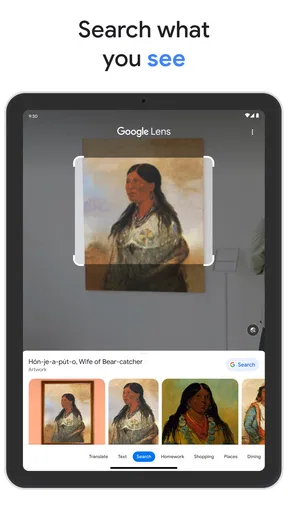
Our Review of Google
 Analysis by Appyee
I judge a search app by how quickly it helps me get from a question to a useful next step. Google aims to cover that whole journey: finding information, exploring related topics, and using voice or camera input when typing is inconvenient. I find that breadth useful, though it also means the app can feel busier than a simple search box. Whether that trade-off works for you depends on whether you want an all-purpose tool or a focused alternative.
How quick does it feel in everyday use?
For common queries, the appeal is that search is the starting point rather than a separate task you have to set up. I can look for a nearby place, check a basic fact, or open an article from the same interface. Voice search is useful when my hands are full, and Lens gives me another way to begin when I can show rather than describe what I’m looking at.
I would not treat every search as equally immediate. A short question is different from browsing several results, opening pages, or asking for something that needs more context. The app can get me to a promising answer quickly, but I still check the source when accuracy matters. For health, money, travel rules, or other consequential decisions, search results are a starting point, not a substitute for reading the original information.
When several tools meet at once
The app’s range is most noticeable during a busy stretch of the day. I might use search to find a place, voice input to ask a quick follow-up, and then browse Discover while waiting. That convenience is real, but switching between search, personalized stories, Lens, and Assistant-style tasks can make the experience feel less focused than a dedicated tool. If I only want a plain web search, extra surfaces may be clutter rather than a benefit.
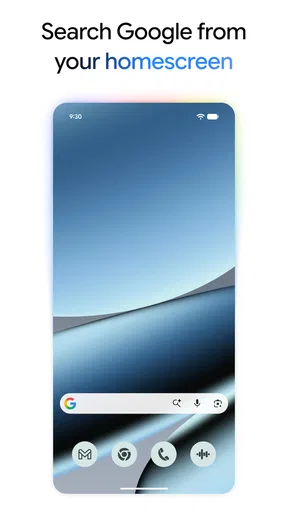
A practical way to keep the experience manageable is to treat the home screen as a launch point, not a feed I have to consume. I can go straight to the search bar for a specific need and leave Discover alone when I’m short on time. If suggested stories are distracting, reviewing the interests and personalization controls is more useful than repeatedly scrolling past topics I do not want.
Reliability means checking the result
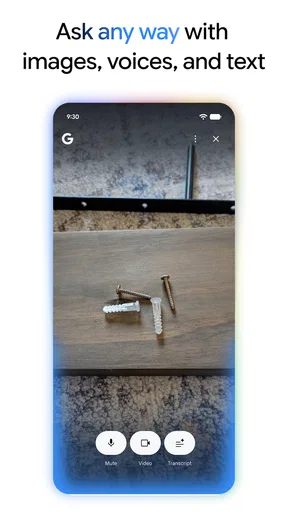
For familiar everyday tasks, I find the app dependable as a route into information and Google services. Voice input can spare me typing, and a visual search can be a helpful first clue when I do not know the name of an object. Still, recognition and search results need judgement: a plant match, translation, or snippet may be useful without being definitive. I verify important details instead of acting on the first result alone.
Personalized suggestions can also change with what I read and search for, which is convenient when the feed gets my interests right and less appealing when it does not. I see Discover as optional browsing rather than a complete news source. For a deliberate check of a particular story, I search for it directly and compare the reporting rather than assuming a feed has shown every relevant viewpoint.
What to expect on your device
The app is free, made by Google LLC, and sits in the tools category. It is rated for Everyone, has been available since August 12, 2010, and has a 4.1 average from around 29 million ratings. More than 10 billion installs show how widely it is used, but popularity alone does not tell me whether its mix of features suits a particular phone or person.
On a device where storage, data, or attention is limited, I would focus on the parts I actually use. Search can be the core utility; Discover and Assistant-style features are optional extras in my routine. Personalized content and voice or camera tools may not be worthwhile if I prefer a minimal interface, avoid account-based personalization, or already rely on separate apps for those jobs. I would also expect network access to matter for many searches, so this is not a replacement for saving essential information offline.
Who benefits, and who may prefer another tool?
I think the app suits people who want one familiar place for general searches, quick voice questions, visual lookups, and a stream of topics they can browse. It is especially handy for someone who moves between those needs rather than wanting a specialized app for each one. A student can use it to find background reading, while a traveler might search for a nearby restaurant and use Lens to interpret a sign. In both cases, the useful habit is to follow a result through to its source when details matter.
Someone who values a quieter, less personalized search experience may prefer a browser set to a different search provider, or a dedicated reference app for a narrow subject. A separate navigation, translation, or task app may also be a better fit when that single job is the priority. The trade-off is straightforward: this app offers breadth and convenience, while focused alternatives can reduce distractions or provide a more specialized workflow.
The First Impressions
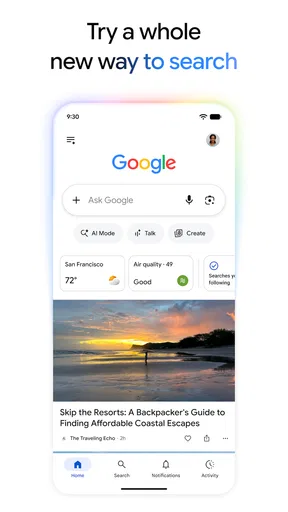
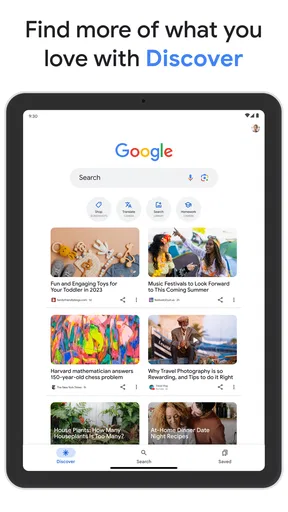
When you first open the Google app, it's like stepping into a familiar yet surprisingly comprehensive platform. The interface is clean, minimalistic, and honestly, quite intuitive. It’s like the app just knows what you need, which is kind of its thing, right? The homepage greets you with a search bar at the top, followed by a personalized news feed called Discover. It’s a nifty feature that learns from your searches and interests, offering articles that might tickle your fancy. I found myself browsing through topics I didn’t even know I was interested in!
Search and More
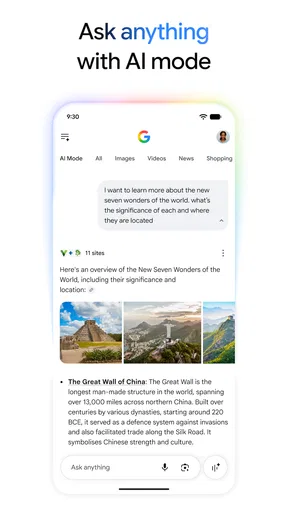
At its core, the app is all about search, and it does this exceptionally well. Whether you’re looking for quick answers, in-depth articles, or images, everything is just a tap away. The voice search feature is particularly handy when you’re on the go. Just say “Hey Google” and ask away! It’s fast, accurate, and has improved a lot over the years. I’ve found myself using it to check the weather, find nearby restaurants, and even settle debates with friends. Trust me, it’s a lifesaver!
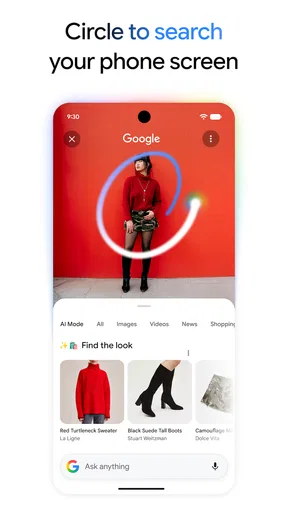
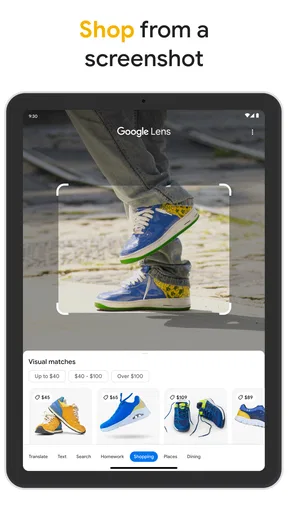
But it’s not just about search. The app integrates Google Lens, which is super cool. Imagine pointing your camera at a plant and having the app tell you exactly what it is. Or translating text on the fly. It’s like having a pocketful of magic tricks!
Personal Assistant Vibes
One of the standout features of the Google app is the Assistant. This isn’t just some run-of-the-mill assistant; it’s pretty smart. It can manage schedules, set reminders, and even control smart devices if you’re into the whole smart home thing. What I love is how it learns over time. The more you use it, the better it gets at predicting what you might need. It’s like having a personal secretary, but one that fits in your pocket.
Using the Assistant for managing my daily tasks has been a game-changer. From setting up alarms to getting traffic updates before heading out, it’s like having another layer of efficiency in my day-to-day life.
Staying in the Know
The Discover feed is another aspect that deserves mention. It’s tailored to your interests and keeps you updated without having to actively search for information. Whether it’s breaking news or niche topics, it’s all there. I’ve found it particularly useful for keeping up with tech news and sports updates. Plus, it’s a great way to kill time when you’re waiting in line or just chilling at home.
Privacy Concerns
Now, I know what you’re thinking – what about privacy? It’s a valid concern, especially with how much data Google collects. The app does offer some control over what data is collected and how it’s used. You can manage your data with features like Incognito Mode and Privacy settings. While it’s not a full-proof solution, it does offer a level of transparency and control.
Final Thoughts
So, is the Google app worth having on your phone? Absolutely! It’s more than just a search engine; it’s a gateway to a world of information and convenience. Whether you’re using it for quick searches, managing your schedule, or exploring new interests, it’s a tool that effortlessly integrates into your life.
In a world where information is power, having the Google app at your fingertips gives you an edge. It’s reliable, constantly evolving, and always there when you need it. If you haven’t tried it yet, give it a shot. You might just find it becoming your go-to app for almost everything.
Privacy and Permissions
See what permissions an app requests and how it handles your data.
- Device & app history
- retrieve running apps, read your Web bookmarks and history
- Cellular data settings
- change/intercept network settings and traffic
- Identity
- find accounts on the device, add or remove accounts, read your own contact card
- Calendar
- read calendar events plus confidential information, add or modify calendar events and send email to guests without owners' knowledge
- Contacts
- find accounts on the device, read your contacts, modify your contacts
- Location
- approximate location (network-based), precise location (GPS and network-based)
- SMS
- read your text messages (SMS or MMS), send SMS messages, edit your text messages (SMS or MMS)
- Phone
- directly call phone numbers, directly call any phone numbers, read call log, read phone status and identity
- Photos/Media/Files
- read the contents of your USB storage, modify or delete the contents of your USB storage
- Storage
- read the contents of your USB storage, modify or delete the contents of your USB storage
- Camera
- take pictures and videos
- Microphone
- record audio
- Wi-Fi connection information
- view Wi-Fi connections
- Device ID & call information
- read phone status and identity
- Other
- view network connections, pair with Bluetooth devices, access Bluetooth settings, send sticky broadcast, change network connectivity, allow Wi-Fi Multicast reception, connect and disconnect from Wi-Fi, expand/collapse status bar, control flashlight, measure app storage space, full network access, change your audio settings, control Near Field Communication, read sync settings, run at startup, reorder running apps, set wallpaper, draw over other apps, use accounts on the device, control vibration, prevent device from sleeping, modify system settings, set an alarm, write web bookmarks and history, install shortcuts, read Google service configuration
Verdict
Strengths of Google
- Seamless integration with other Google services.
- User-friendly interface with intuitive design.
- Offers real-time updates and notifications.
- Strong security features and data protection.
- Wide availability across multiple platforms.
Limitations of Google
- Requires a Google account for full access.
- Can consume significant data in the background.
- Some features may be region-restricted.
- Occasional glitches with syncing data.
- Limited offline functionality for certain services.
Other Releases by Google LLC
View All
Google Calendar
Productivity4.6

Google Messages
Communication4.6

Google TV
Video Players & Editors3.9

Android Auto
Auto & Vehicles4.1
Similar Picks in This Category
View All
Gboard - the Google Keyboard
Google LLC4.5

Google Play services
Google LLC4.3

Google Play Store
Google LLC4.9

Files by Google
Google LLC4.5

SHAREit: Transfer, Share Files
Smart Media4U Technology Pte.Ltd.4.3

Google Lens
Google LLC4.7
You May Also Like
View All


Frequently Asked Questions
What is Google and what services does it offer?
Google is a multinational technology company known for its search engine. Beyond search, Google offers a wide range of services including Gmail for email, Google Maps for navigation, Google Drive for cloud storage, Google Photos, Google Docs for document editing, and the Google Play Store for Android apps, among others.
Is Google available on both Android and iOS devices?
Yes, Google apps and services are available on both Android and iOS platforms. While Android is Google's own operating system, apps like Google Maps, Gmail, Google Drive, and others are also available on iOS, ensuring a seamless experience across different devices.
How does Google ensure user privacy and data security?
Google implements robust security measures to protect user data, including encryption and two-factor authentication. The company offers users control over their data with tools like the Google Account dashboard, where they can manage privacy settings, view activity, and customize ad preferences. Regular updates and transparency reports also enhance security.
Are there any costs associated with using Google services?
Most Google services are free to use, such as Google Search, Gmail, and Google Maps. However, certain features or additional storage options in services like Google One may require a subscription. Google Play Store offers free apps as well as paid ones, and some in-app purchases may apply.
How can users troubleshoot common issues with Google apps?
Users can troubleshoot common Google app issues by visiting the Google Help Center, which provides detailed guides and solutions. Restarting the device, updating the app, and clearing cache are standard troubleshooting steps. For persistent issues, users can reach out to Google Support for further assistance.
